
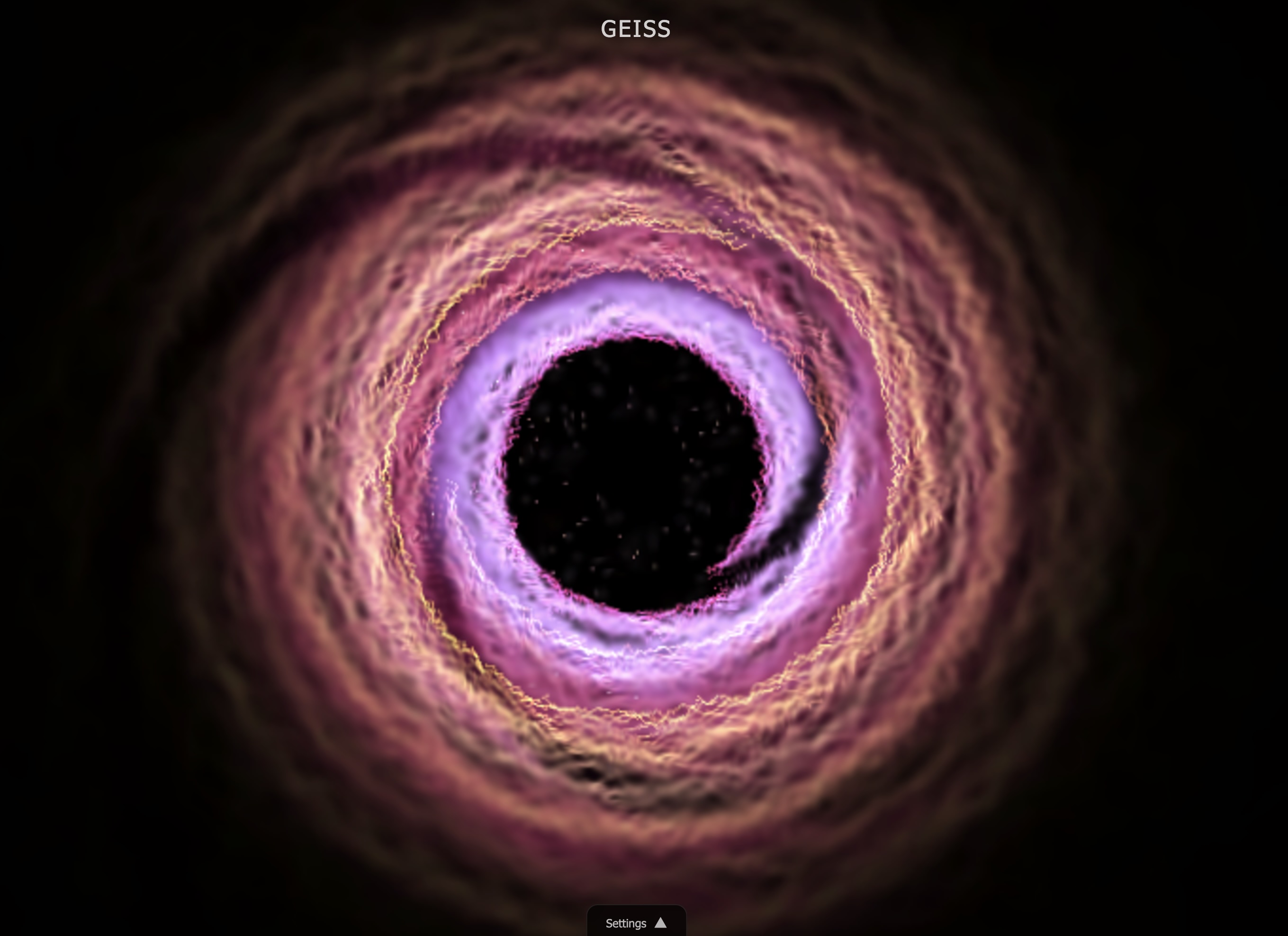
I vibe-coded a sound visualizer to show my kids what Winamp visualizations looked like back in the day.
I remember listening to music in the late 90s and early 2000s, and these beautiful visualizations would just be there on your desktop, creating ambience, being part of the experience. You’d put on some music and watch the colors flow and the patterns dance, and it was this solid mood that’s completely disappeared now. We’ve become so stressed out, I guess, that nobody can just sit and look at their music visualization anymore. Like sitting in front of a fireplace. That’s what it was to us — a fireplace for your ears and eyes.
So I talked to Claude about this, and after a few iterations we had a working visualizer that I can fire up on a second screen, picking up whatever music is playing through the mic. Nine different presets: oscilloscope, spectrum analyzer, particles, starfield, plasma, matrix rain, wireframe terrain, and a recreation of the legendary Geiss visualization. It runs entirely in the browser — no server infrastructure, no native apps. The Web Audio API does real-time audio analysis and Canvas 2D renders it all smoothly enough.
My kids got to see it, although I don’t think they were too impressed. They watched for a bit, said it was cool, and went back to whatever they were doing. Which is fine — it’s not their nostalgia. They didn’t grow up with Winamp skins and plugin ecosystems and the thrill of finding a visualizer that really matched your music taste. To them it’s just shapes on a screen.
But for me, firing it up while something plays takes me back to a simpler time when you could sit with your music and watch something beautiful happen.
Try it yourself: orlenko.github.io/sound-visualizer. Press 1-9 to switch presets, space for fullscreen. Then just let it play.