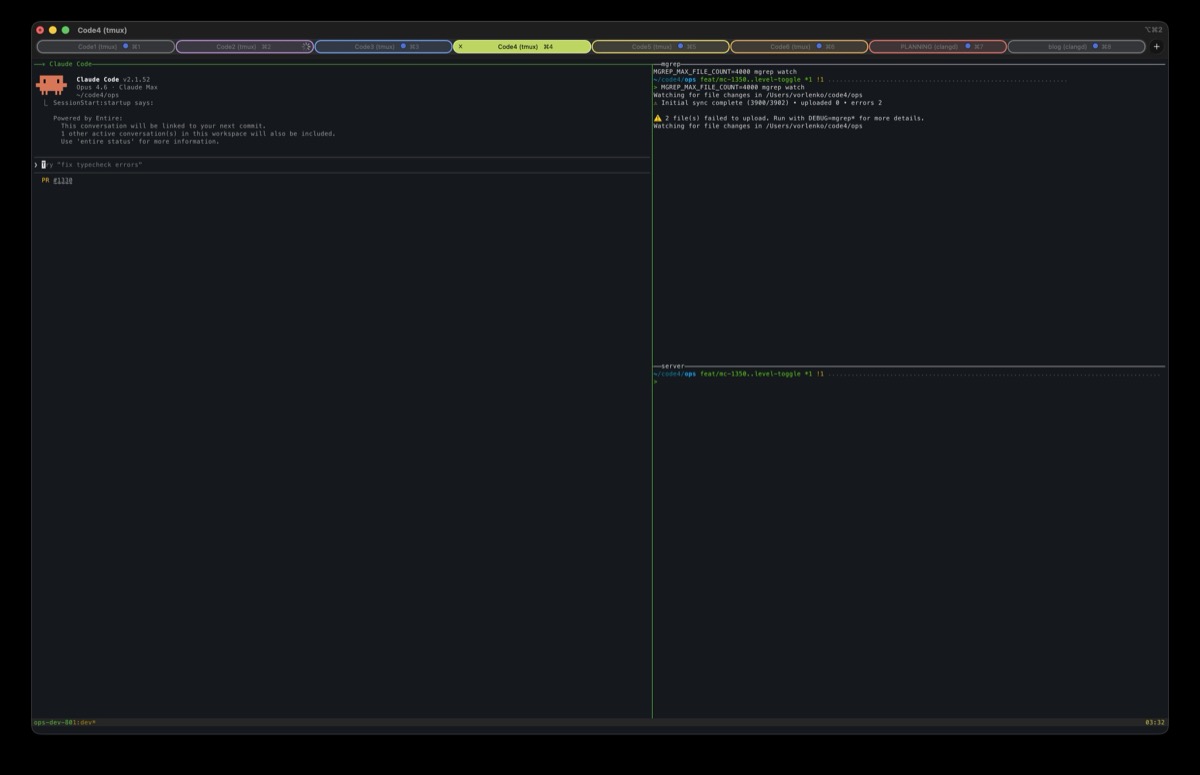
<?xml version="1.0" encoding="utf-8"?><feed xmlns="http://www.w3.org/2005/Atom" xml:lang="en"><generator uri="https://jekyllrb.com/" version="3.10.0">Jekyll</generator><link href="https://bjola.org/feed.xml" rel="self" type="application/atom+xml" /><link href="https://bjola.org/" rel="alternate" type="text/html" hreflang="en" /><updated>2026-09-16T13:41:38+00:00</updated><id>https://bjola.org/feed.xml</id><title type="html">Bjola Open Source</title><subtitle>Small, inspectable software from Bjola, with notes from building and using it.</subtitle><author><name>Vlad Orlenko</name></author><entry><title type="html">aiq Has Become a Habit</title><link href="https://bjola.org/2026/09/15/aiq-has-become-a-habit.html" rel="alternate" type="text/html" title="aiq Has Become a Habit" /><published>2026-09-15T21:15:00+00:00</published><updated>2026-09-15T21:15:00+00:00</updated><id>https://bjola.org/2026/09/15/aiq-has-become-a-habit</id><content type="html" xml:base="https://bjola.org/2026/09/15/aiq-has-become-a-habit.html"><![CDATA[<p><img src="/assets/images/2026-09-15-aiq-has-become-a-habit.jpg" alt="A colourful mural on a brick wall beneath a blue sky, with the words “Everything you can imagine is real.”" /></p>

<p><em>Photo by me.</em></p>

<p>I made <a href="https://github.com/orlenko/aiq">aiq</a> because I was tired of an overnight coding job stopping at a usage limit while another subscription still had room. I <a href="https://bjola.org/2026/09/08/the-show-must-go-on.html">wrote about that first version</a>, and I still use it for exactly that.</p>

<p>What I hadn’t expected was how much I would enjoy the small, everyday uses. It has grown into one of my favourite tools. I type <code class="language-plaintext highlighter-rouge">aiq run auto</code> when I want to work, <code class="language-plaintext highlighter-rouge">aip</code> followed by a question when I want an answer, and <code class="language-plaintext highlighter-rouge">aiq long claude</code> when I expect the work to outlast an account’s quota. Such an improvement to my quality of life, and I keep being pleased about it.</p>

<p>aiq is a Go command-line tool that pools paid Claude Code and Codex subscriptions. It launches the installed CLIs under separate account credentials, chooses accounts using their quota and reset times, and can supervise a long session through an account or provider change. It runs on macOS and Linux, and the source is MIT-licensed.</p>

<p>Here are the recipes that explain why it has become a habit. The prompts below are generic examples you can adapt to your own work.</p>

<h2 id="open-a-session-and-get-on-with-it">Open a session and get on with it</h2>

<p><strong>One important default: <code class="language-plaintext highlighter-rouge">auto</code> always enables permission bypass</strong>, including for one-shot questions. On Claude that is <code class="language-plaintext highlighter-rouge">--dangerously-skip-permissions</code>; on Codex it is <code class="language-plaintext highlighter-rouge">--yolo</code>, disabling both approvals and sandboxing. That suits how I use it. Use an explicit provider, such as <code class="language-plaintext highlighter-rouge">aiq run claude</code> or <code class="language-plaintext highlighter-rouge">aiq run codex</code>, when you want the CLI’s normal permission behaviour or provider-specific options.</p>

<p>From the checkout I want to work in:</p>

<div class="language-bash highlighter-rouge"><div class="highlight"><pre class="highlight"><code>aiq run auto
</code></pre></div></div>

<p>aiq considers both providers, picks an eligible account using its quota score, and opens an interactive session. I don’t have to choose Claude or Codex first. For a lot of ordinary work, I am happy with either, and the choice was just another small decision between having a thought and doing something about it.</p>

<p>The score favours quota that is about to expire unused. An account with a weekly reset approaching and plenty left can be a better destination than one whose allowance needs to last several more days. It also accounts for the shorter usage windows and worker load. <code class="language-plaintext highlighter-rouge">auto</code> uses the same machinery across both pools.</p>

<p>The provider and account are chosen at launch. An ordinary <code class="language-plaintext highlighter-rouge">auto</code> session stays with that choice; supervised mid-session handoffs belong to <code class="language-plaintext highlighter-rouge">aiq long</code>, which I’ll get to below.</p>

<p>I can send the first message as part of the launch:</p>

<div class="language-bash highlighter-rouge"><div class="highlight"><pre class="highlight"><code>aiq run auto <span class="nt">--</span> <span class="s2">"Read this repository and explain how the test suite is organised."</span>
</code></pre></div></div>

<p>Or choose how much model I want:</p>

<div class="language-bash highlighter-rouge"><div class="highlight"><pre class="highlight"><code>aiq run auto <span class="nt">--model-tier</span> 0
aiq run auto <span class="nt">--model-tier</span> 2 <span class="nt">--effort</span> 2
</code></pre></div></div>

<p>In the <a href="https://github.com/orlenko/aiq#automatic-provider-and-model-selection">current tier mapping</a>, tier 0 selects Fable or Astra, the default tier 1 selects Opus or Sol, tier 2 selects Sonnet or Terra, and tier 3 selects Haiku or Luna. These are aiq’s configured pairings, not a promise that two models behave identically. The tier stays fixed if a worker needs to retry on another account or provider.</p>

<p>Numeric effort is separate from the model tier: <code class="language-plaintext highlighter-rouge">2</code> means medium, <code class="language-plaintext highlighter-rouge">3</code> means high, and <code class="language-plaintext highlighter-rouge">4</code> means xhigh. Leaving it out preserves the CLI’s default effort.</p>

<h2 id="ask-a-question-without-leaving-the-shell">Ask a question without leaving the shell</h2>

<p>This is the little convenience I have become especially fond of:</p>

<div class="language-text highlighter-rouge"><div class="highlight"><pre class="highlight"><code>aip how can I see which process is listening on port 8080?
aip what's the difference between git restore and git reset?
aip how do I run a command over ssh without allocating a tty?
</code></pre></div></div>

<p><code class="language-plaintext highlighter-rouge">aip</code> is a shell function from the README. The basic version is:</p>

<div class="language-zsh highlighter-rouge"><div class="highlight"><pre class="highlight"><code>aip<span class="o">()</span> <span class="o">{</span>
  aiq run auto <span class="nt">-p</span> <span class="s2">"</span><span class="nv">$*</span><span class="s2">"</span>
<span class="o">}</span>
</code></pre></div></div>

<p>With just that function, quote the question as you normally would in a shell:</p>

<div class="language-bash highlighter-rouge"><div class="highlight"><pre class="highlight"><code>aip <span class="s2">"What's the difference between a login shell and an interactive shell?"</span>
</code></pre></div></div>

<p><code class="language-plaintext highlighter-rouge">-p</code> becomes Claude’s print mode or Codex’s <code class="language-plaintext highlighter-rouge">exec</code> command. Each question is a fresh worker invocation. aiq scores the accounts for that call, tries to keep workers off accounts carrying interactive sessions when another is available, and can retry an early quota rejection on another account, including across providers.</p>

<p>The extra bit that makes <strong>unquoted</strong> questions pleasant is a zsh line-editor widget. Put the following in <code class="language-plaintext highlighter-rouge">~/.zshrc</code>, alongside the function above:</p>

<div class="language-zsh highlighter-rouge"><div class="highlight"><pre class="highlight"><code><span class="nv">verbatim_cmds</span><span class="o">=(</span>aip<span class="o">)</span>

_verbatim_accept_line<span class="o">()</span> <span class="o">{</span>
  <span class="nb">local </span>name rest
  <span class="k">for </span>name <span class="k">in</span> <span class="nv">$verbatim_cmds</span><span class="p">;</span> <span class="k">do</span>
    <span class="o">[[</span> <span class="nv">$BUFFER</span> <span class="o">==</span> <span class="s2">"</span><span class="nv">$name</span><span class="s2"> "</span><span class="k">*</span> <span class="o">]]</span> <span class="o">||</span> <span class="k">continue
    </span><span class="nv">rest</span><span class="o">=</span><span class="k">${</span><span class="nv">BUFFER</span><span class="p">#</span><span class="s2">"</span><span class="nv">$name</span><span class="s2"> "</span><span class="k">}</span>
    <span class="c"># Leave an already-quoted history entry alone.</span>
    <span class="o">[[</span> <span class="nv">$rest</span> <span class="o">==</span> <span class="s2">"</span><span class="k">${</span><span class="p">(qq)</span><span class="k">${</span><span class="p">(Q)rest</span><span class="k">}}</span><span class="s2">"</span> <span class="o">]]</span> <span class="o">||</span> <span class="nv">BUFFER</span><span class="o">=</span><span class="s2">"</span><span class="nv">$name</span><span class="s2"> </span><span class="k">${</span><span class="p">(qq)rest</span><span class="k">}</span><span class="s2">"</span>
    <span class="nb">break
  </span><span class="k">done
  </span>zle .accept-line
<span class="o">}</span>
zle <span class="nt">-N</span> accept-line _verbatim_accept_line
</code></pre></div></div>

<p>At Enter, the widget quotes everything after <code class="language-plaintext highlighter-rouge">aip</code> before zsh interprets the line. Apostrophes, question marks, globs and exclamation marks reach the prompt intact. History stores the quoted form, so recalling the command doesn’t quote it twice.</p>

<p>This is for a line beginning with <code class="language-plaintext highlighter-rouge">aip </code> in an interactive zsh prompt. Everything after it is question text, including a <code class="language-plaintext highlighter-rouge">|</code> or <code class="language-plaintext highlighter-rouge">&gt;</code>; use the underlying <code class="language-plaintext highlighter-rouge">aiq</code> command when you want actual shell piping or redirection. If your shell setup already customises <code class="language-plaintext highlighter-rouge">accept-line</code>, integrate the widget with that setup rather than blindly replacing it.</p>

<p>I particularly like this for the small command-line questions that appear while I’m already doing something else. I get an answer in the terminal and carry on. I no longer have to give a forgotten shell flag its own browser expedition.</p>

<h2 id="give-a-one-shot-task-a-little-more-thought">Give a one-shot task a little more thought</h2>

<p>The underlying command is useful on its own when I want to choose a tier or save the result:</p>

<div class="language-bash highlighter-rouge"><div class="highlight"><pre class="highlight"><code>aiq run auto <span class="nt">--model-tier</span> 0 <span class="nt">--effort</span> 4 <span class="nt">-p</span> <span class="se">\</span>
  <span class="s2">"Read docs/cache-design.md. Review invalidation and concurrency risks. Do not edit files."</span> <span class="se">\</span>
  <span class="o">&gt;</span> cache-review.md
</code></pre></div></div>

<p>For a smaller task:</p>

<div class="language-bash highlighter-rouge"><div class="highlight"><pre class="highlight"><code>aiq run auto <span class="nt">--model-tier</span> 2 <span class="nt">--effort</span> 2 <span class="nt">-p</span> <span class="se">\</span>
  <span class="s2">"Explain how this repository runs its unit tests. Do not change anything."</span>
</code></pre></div></div>

<p>These are coding-agent invocations with access to the current workspace, so I can refer to a file in the checkout. “Do not edit files” is an instruction to the agent; <code class="language-plaintext highlighter-rouge">auto</code> still has permission bypass enabled. If I want Codex’s actual read-only sandbox, I choose Codex explicitly and pass native options after <code class="language-plaintext highlighter-rouge">--</code>:</p>

<div class="language-bash highlighter-rouge"><div class="highlight"><pre class="highlight"><code>aiq run codex <span class="nt">--</span> <span class="nb">exec</span> <span class="nt">--sandbox</span> read-only <span class="se">\</span>
  <span class="s2">"Review the uncommitted diff for correctness. Do not modify files."</span>
</code></pre></div></div>

<p><code class="language-plaintext highlighter-rouge">auto</code> translates the common prompt, tier and effort controls. For native flags, a specific account, or resuming a particular conversation, I use the provider explicitly.</p>

<h2 id="let-the-existing-commands-use-the-pool">Let the existing commands use the pool</h2>

<p>Once the shims are installed and first on <code class="language-plaintext highlighter-rouge">PATH</code>, familiar commands route through aiq:</p>

<div class="language-bash highlighter-rouge"><div class="highlight"><pre class="highlight"><code>claude
codex
claude <span class="nt">-p</span> <span class="s2">"Explain the build scripts in this checkout."</span>
codex <span class="nb">exec</span> <span class="s2">"Review the current diff."</span>
</code></pre></div></div>

<p>A shim is a small wrapper that selects an account and then launches the real CLI. This also covers workers an agent launches by those command names, so existing scripts can benefit without being rewritten around a new API.</p>

<p>Explicit-provider interactive sessions are sticky per workspace. Workers are scored per invocation and respect concurrency caps and a weekly reserve. If a fleet sometimes reaches the worker cap, I can let workers wait for a slot:</p>

<div class="language-bash highlighter-rouge"><div class="highlight"><pre class="highlight"><code><span class="nv">AIQ_WAIT</span><span class="o">=</span>600 codex <span class="nb">exec</span> <span class="s2">"Review the tests in this checkout."</span>
</code></pre></div></div>

<p>That waits up to ten minutes for worker capacity. An exhausted pool still refuses immediately on this path; waiting for a usage reset is part of the long-session supervisor.</p>

<h2 id="keep-a-big-job-moving-through-quota-limits">Keep a big job moving through quota limits</h2>

<p>The heavy-duty end is where aiq started:</p>

<div class="language-bash highlighter-rouge"><div class="highlight"><pre class="highlight"><code>aiq long claude
<span class="c"># Or start with Codex:</span>
aiq long codex
</code></pre></div></div>

<p>Run one of these from the workspace. aiq starts or attaches to its supervised session in tmux. I give the agent the task as usual: work through a migration, run a repair-and-test loop, or coordinate a larger batch of work.</p>

<p>For an unattended workflow where I deliberately want permission bypass, the explicit forms are:</p>

<div class="language-bash highlighter-rouge"><div class="highlight"><pre class="highlight"><code>aiq long claude <span class="nt">--</span> <span class="nt">--dangerously-skip-permissions</span>
aiq long codex <span class="nt">--</span> <span class="nt">--yolo</span>
</code></pre></div></div>

<p>The supervisor watches the account’s quota. With the default configuration, when the tightest relevant window has 4% or less remaining, the next lifecycle hook asks the agent to finish his current unit of work, stop background jobs and subagents, write a handoff note, and end the turn. The daemon then starts the successor in the same tmux pane.</p>

<p>What happens next depends on who has room:</p>

<table>
  <thead>
    <tr>
      <th>Available successor</th>
      <th>How work continues</th>
    </tr>
  </thead>
  <tbody>
    <tr>
      <td>Another account on the same provider</td>
      <td>Resume the existing conversation when a resumable transcript is available.</td>
    </tr>
    <tr>
      <td>An account on the other provider</td>
      <td>Start a fresh conversation from the working tree and any available handoff note.</td>
    </tr>
    <tr>
      <td>No eligible successor</td>
      <td>Wait until another account has enough headroom, for example after its quota resets.</td>
    </tr>
  </tbody>
</table>

<p>The second row deserves attention. Claude’s conversation does not become a Codex conversation. The successor gets the files and any available handoff, so unfinished work, decisions and verification results need to be recorded clearly. If the account becomes blocked before the wrap-up finishes, takeover can happen without a handoff note. Permission bypass carries across in the successor’s syntax; other provider-specific flags are dropped.</p>

<p>The supervisor currently looks for a different account when taking over. A pool containing only one account cannot use this mechanism to restart that same account after its reset; the continuation recipe assumes there is another account to move to.</p>

<p>This gives an overnight job a way to continue when quota runs out. It still depends on the agent following the wrap-up instructions, and on the machine, daemon and tmux remaining available. I still need to give him a clear task and a way to check his work.</p>

<p>A few controls are useful from the same workspace:</p>

<div class="language-bash highlighter-rouge"><div class="highlight"><pre class="highlight"><code>aiq long list
aiq long attach
aiq long drain <span class="nb">.</span>
aiq long stop <span class="nb">.</span>
</code></pre></div></div>

<p><code class="language-plaintext highlighter-rouge">list</code> shows the sessions and their state. <code class="language-plaintext highlighter-rouge">attach</code> gets me back into the pane. <code class="language-plaintext highlighter-rouge">drain .</code> requests a move for this workspace’s session, and <code class="language-plaintext highlighter-rouge">stop .</code> ends it. Starting <code class="language-plaintext highlighter-rouge">aiq long claude</code> again in a workspace with an existing long session attaches to that session.</p>

<h2 id="see-why-an-account-was-chosen">See why an account was chosen</h2>

<p>When I do want to look under the bonnet:</p>

<div class="language-bash highlighter-rouge"><div class="highlight"><pre class="highlight"><code>aiq status <span class="nt">--refresh</span> <span class="nt">--explain</span>
aiq top
aiq doctor
</code></pre></div></div>

<p>The first refreshes telemetry and explains the account ranking. <code class="language-plaintext highlighter-rouge">top</code> is a live console view. <code class="language-plaintext highlighter-rouge">doctor</code> checks the setup. The daemon also serves a local status page at <code class="language-plaintext highlighter-rouge">http://127.0.0.1:7379/</code>.</p>

<p>Accounts share settings, plugins and session history through overlay homes, while their credentials stay separate. Claude’s <code class="language-plaintext highlighter-rouge">.claude.json</code> is also private per account, which means project trust and user-scoped MCP configuration have some account-specific behaviour. The <a href="https://github.com/orlenko/aiq#how-it-works">README’s architecture section</a> explains the details.</p>

<p>Routing uses stored telemetry, so stale or unknown quota is not a guarantee of capacity. The shims can still route from the last poll if the daemon is down. Claude’s quota feed uses an undocumented usage endpoint, which can change; aiq also has status-line updates and worker rejection handling to fall back on. Those are practical limits of the tool.</p>

<h2 id="set-it-up">Set it up</h2>

<p>Start with Git, Go at the version required by the repository’s <code class="language-plaintext highlighter-rouge">go.mod</code> or newer, and the provider CLIs you want to use. Long sessions also need tmux. The <a href="https://github.com/orlenko/aiq#install">installation instructions</a> give the current setup details; the short version for macOS or Ubuntu is:</p>

<div class="language-bash highlighter-rouge"><div class="highlight"><pre class="highlight"><code>git clone https://github.com/orlenko/aiq.git
<span class="nb">cd </span>aiq
./install-or-update.sh
</code></pre></div></div>

<p>Run the script as your regular user. It builds aiq, installs the shims, and installs or restarts the user daemon. Follow its printed instructions to put the shim directory and <code class="language-plaintext highlighter-rouge">~/.local/bin</code> on <code class="language-plaintext highlighter-rouge">PATH</code>; it doesn’t edit your shell configuration.</p>

<p>Then add the accounts you actually have. These names are arbitrary labels:</p>

<div class="language-bash highlighter-rouge"><div class="highlight"><pre class="highlight"><code>aiq account add claude primary
aiq account add claude secondary
aiq account add codex primary
aiq doctor
</code></pre></div></div>

<p>You don’t need this exact combination. <code class="language-plaintext highlighter-rouge">auto</code> can use the providers available in your pool. Claude account setup has two browser steps, one for the CLI login and one for the quota polling grant; Codex has one. Make sure the browser signs into the intended account each time.</p>

<p>Then add <code class="language-plaintext highlighter-rouge">aip</code> if you want it, open a fresh shell, and try:</p>

<div class="language-bash highlighter-rouge"><div class="highlight"><pre class="highlight"><code>aiq run auto
</code></pre></div></div>

<p>The biggest payoff comes when there are several subscriptions to route between. aiq doesn’t create extra quota. It helps me use the allowance I already have, and removes a surprising amount of account administration from the middle of a thought.</p>

<p>I built it to keep large jobs running. Now I also reach for it when I can’t remember a command, want a quick second opinion, or simply want to open a coding session. The small uses have made me at least as happy as the original one.</p>

<p><a href="https://github.com/orlenko/aiq">Source, README and recipes: github.com/orlenko/aiq</a>.</p>]]></content><author><name>Vlad Orlenko</name></author><summary type="html"><![CDATA[Quick shell questions, whichever coding agent has room, and long jobs that survive a quota reset: my everyday aiq recipes.]]></summary><media:thumbnail xmlns:media="http://search.yahoo.com/mrss/" url="https://bjola.org/assets/images/2026-09-15-aiq-has-become-a-habit.jpg" /><media:content medium="image" url="https://bjola.org/assets/images/2026-09-15-aiq-has-become-a-habit.jpg" xmlns:media="http://search.yahoo.com/mrss/" /></entry><entry><title type="html">When the Work Needs More Than a Pair</title><link href="https://bjola.org/2026/09/08/agent-orchestra.html" rel="alternate" type="text/html" title="When the Work Needs More Than a Pair" /><published>2026-09-08T20:32:00+00:00</published><updated>2026-09-08T20:32:00+00:00</updated><id>https://bjola.org/2026/09/08/agent-orchestra</id><content type="html" xml:base="https://bjola.org/2026/09/08/agent-orchestra.html"><![CDATA[<p><img src="/assets/images/2026-09-08-agent-orchestra-trio.png" alt="A violinist, pianist, and cellist performing together in a warmly sunlit room." /></p>

<p><a href="https://github.com/orlenko/skills#agent-pair">Agent Pair</a> is one of my daily tools. It connects two coding-agent sessions through a durable mailbox. Give one session the other’s invite, and they can talk directly, on the same machine or across machines.</p>

<p>With a larger orchestration, I want one session coordinating the work, several others handling pieces of it, and those sessions able to bring in their own help. <a href="https://github.com/orlenko/skills#agent-orchestra">Agent Orchestra</a> provides the communication for that arrangement.</p>

<p>There are three roles:</p>

<ul>
  <li><strong>Hub:</strong> a process on an always-on machine, holding the mailboxes in SQLite.</li>
  <li><strong>Conductor:</strong> the session I’m working with, coordinating the other members.</li>
  <li><strong>Players:</strong> the other sessions. Each can invite his own children.</li>
</ul>

<p>Everyone connects outbound to the hub, so only the hub needs to be reachable. Invites pin its TLS certificate. Sessions can address the conductor, their parent, children, or siblings without me relaying messages between terminals.</p>

<p>Mail is durable. The monitor saves incoming messages locally before acknowledging them and retries outgoing mail. There’s a member tree and a task view derived from the messages, so I can see who’s involved and what work has been assigned.</p>

<p>One operational detail: Claude can wake when mail arrives. Codex currently picks it up through lifecycle hooks and notifications; idle wakeups aren’t equivalent between the two.</p>

<p>I still use Pair for two sessions. It needs no hub, and setting up a whole Orchestra for a conversation between two agents would be unnecessary admin.</p>

<p>Pair and Orchestra handle communication, <a href="/2026/05/04/undrudge.html">Undrudge</a> finds repetitive work worth automating, and <a href="/2026/09/08/the-show-must-go-on.html">aiq</a> handles quota and handoffs. All four are part of my daily setup.</p>

<p>Claude Code and Codex plugins. Python 3.10+, OpenSSL. <a href="https://github.com/orlenko/skills#agent-orchestra">Setup and source</a>.</p>]]></content><author><name>Vlad Orlenko</name></author><summary type="html"><![CDATA[Agent Pair connects two sessions. Agent Orchestra coordinates a larger crew across machines.]]></summary><media:thumbnail xmlns:media="http://search.yahoo.com/mrss/" url="https://bjola.org/assets/og/2026-09-08-agent-orchestra.png" /><media:content medium="image" url="https://bjola.org/assets/og/2026-09-08-agent-orchestra.png" xmlns:media="http://search.yahoo.com/mrss/" /></entry><entry><title type="html">The Show Must Go On</title><link href="https://bjola.org/2026/09/08/the-show-must-go-on.html" rel="alternate" type="text/html" title="The Show Must Go On" /><published>2026-09-08T19:21:00+00:00</published><updated>2026-09-08T19:21:00+00:00</updated><id>https://bjola.org/2026/09/08/the-show-must-go-on</id><content type="html" xml:base="https://bjola.org/2026/09/08/the-show-must-go-on.html"><![CDATA[<p><img src="/assets/images/2026-09-08-aiq-shift-change.png" alt="A cheerful robot crew hands over a shift logbook while a printing machine keeps running." /></p>

<p>At work, I’m running large orchestrations that exhaust the quota of a single Max or Pro subscription pretty quickly. I found myself manually switching between accounts, telling Claude to write a handoff for Codex and telling Codex to write a handoff for Claude, and doing this repeatedly.</p>

<p>Sometimes I’d leave a large job overnight, and it would exhaust the quota and get stuck in the middle of the night. That was frustrating. I have multiple subscriptions to switch between, and the work should be able to continue, so I made <a href="https://github.com/orlenko/aiq">aiq</a>.</p>

<p>aiq pools Claude Code and Codex accounts. PATH shims route <code class="language-plaintext highlighter-rouge">claude</code>, <code class="language-plaintext highlighter-rouge">codex</code>, and their workers, including nested launches.</p>

<p>For long-running orchestrations:</p>

<div class="language-bash highlighter-rouge"><div class="highlight"><pre class="highlight"><code>aiq long claude
<span class="c"># or</span>
aiq long codex
</code></pre></div></div>

<p>The session runs under tmux. Near a quota limit, hooks ask the agent to finish the current unit of work, stop his background jobs, and write a handoff. aiq then restarts in the same pane on an account with headroom.</p>

<ul>
  <li>Same provider: resume the full conversation on another account.</li>
  <li>Different provider: start a fresh session from the handoff and working tree. Claude can hand off to Codex or vice versa.</li>
  <li>Pool exhausted: wait for a quota reset, then continue.</li>
</ul>

<p>Accounts share settings, plugins, and history; credentials stay separate.</p>

<p>Routing considers remaining quota, reset times, and worker load. Interactive launches are sticky per workspace; workers are scored per call, with concurrency caps and a weekly reserve. <code class="language-plaintext highlighter-rouge">aiq status --explain</code> shows the ranking.</p>

<p>macOS and Linux. MIT. <a href="https://github.com/orlenko/aiq#install">Setup and source</a>.</p>]]></content><author><name>Vlad Orlenko</name></author><summary type="html"><![CDATA[I got tired of overnight jobs stopping at a usage limit while another subscription still had room. So I made aiq.]]></summary><media:thumbnail xmlns:media="http://search.yahoo.com/mrss/" url="https://bjola.org/assets/og/2026-09-08-the-show-must-go-on.png" /><media:content medium="image" url="https://bjola.org/assets/og/2026-09-08-the-show-must-go-on.png" xmlns:media="http://search.yahoo.com/mrss/" /></entry><entry><title type="html">What Was `[image 4]` Again?</title><link href="https://bjola.org/2026/06/16/what-was-image-4-again.html" rel="alternate" type="text/html" title="What Was `[image 4]` Again?" /><published>2026-06-16T23:00:00+00:00</published><updated>2026-06-16T23:00:00+00:00</updated><id>https://bjola.org/2026/06/16/what-was-image-4-again</id><content type="html" xml:base="https://bjola.org/2026/06/16/what-was-image-4-again.html"><![CDATA[<p>A small annoyance that built up over months: when you paste an image into Claude Code, it gets stored on disk and referenced in the scrollback as <code class="language-plaintext highlighter-rouge">[image 1]</code>, <code class="language-plaintext highlighter-rouge">[image 2]</code>, <code class="language-plaintext highlighter-rouge">[image 3]</code>, on up. The session has the pictures. You do not — not in any visible way. So if you go back later to ask “wait, did I paste the right diagram earlier?”, the chat won’t tell you. It just keeps saying <code class="language-plaintext highlighter-rouge">[image 4]</code>.</p>

<p>I wrote <a href="https://gist.github.com/orlenko/444ff24ff928979b94a3a734dba77f69">a small script</a> that pops up previews of the images I’ve recently pasted into a Claude session. It’s a gist, not a project.</p>

<p>The whole tool exists to answer “wait, what <em>was</em> that?”, then get out of the way.</p>]]></content><author><name>Vlad Orlenko</name></author><summary type="html"><![CDATA[A tiny script to preview the images you've pasted into a Claude Code session.]]></summary><media:thumbnail xmlns:media="http://search.yahoo.com/mrss/" url="https://bjola.org/assets/og/2026-06-16-what-was-image-4-again.png" /><media:content medium="image" url="https://bjola.org/assets/og/2026-06-16-what-was-image-4-again.png" xmlns:media="http://search.yahoo.com/mrss/" /></entry><entry><title type="html">Claude Finishes Its Work and Tells Me About It From the Next Room</title><link href="https://bjola.org/2026/06/16/claude-tells-me-from-the-next-room.html" rel="alternate" type="text/html" title="Claude Finishes Its Work and Tells Me About It From the Next Room" /><published>2026-06-16T22:00:00+00:00</published><updated>2026-06-16T22:00:00+00:00</updated><id>https://bjola.org/2026/06/16/claude-tells-me-from-the-next-room</id><content type="html" xml:base="https://bjola.org/2026/06/16/claude-tells-me-from-the-next-room.html"><![CDATA[<p><img src="/assets/images/aisay.jpg" alt="Halftone illustration of a head shouting, three speech bursts coming from the mouth, blue on black" /></p>

<p>There’s a small ritual to my workday now. I kick off two or three Claude sessions on different tasks, walk to the kitchen to make coffee, and somewhere between the grind and the pour, the laptop calls out from the other room: “Migration script is done. Schema looks clean.” Then, a minute later, from a different session: “Found the regression. It’s in the cache key, not the query.” I bring my coffee back and pick up the threads in whatever order the spoken summaries came in.</p>

<p>This is a much better workflow than I had any right to expect from <code class="language-plaintext highlighter-rouge">say</code>, a stop hook, and one paragraph in my global Claude instructions.</p>

<h2 id="the-setup">The setup</h2>

<p>Three pieces.</p>

<p><strong>1. A machine-wide Claude instruction.</strong> I added a small section to my global CLAUDE.md telling Claude to include a single line in every reply, prefixed with a speaker emoji:</p>

<blockquote>
  <p>Include exactly one <code class="language-plaintext highlighter-rouge">🗣 &lt;one short sentence&gt;</code> line in your reply when you want audio. One sentence, conversational, summarizing the gist — not the full reply.</p>
</blockquote>

<p>It also explains when to <em>skip</em> the audio (sub-agents, scripted runs, anywhere a human isn’t sitting at the keyboard) and what to leave out of the spoken line (long paths, command output, code dumps — they stay in the text).</p>

<p><strong>2. <a href="https://gist.github.com/orlenko/70c8b2038c3de8e13b09bc8178aa099d">A stop hook</a>.</strong> Claude Code’s stop hooks fire when a turn ends. Mine grabs the last assistant message from the transcript, finds the <code class="language-plaintext highlighter-rouge">🗣</code> line, strips the emoji, and pipes the sentence to macOS <code class="language-plaintext highlighter-rouge">say</code>. No tool call, no MCP, no permissions prompt. The hook does all the work; Claude just has to remember to write the line.</p>

<p><strong>3. (Optional) a nicer voice.</strong> macOS’s built-in voices are functional but not exactly pleasant for hours at a time. If you want something easier on the ears, <a href="https://github.com/orlenko/aitts">aitts</a> is what I use — a small tool I wrote that’s a friendlier <code class="language-plaintext highlighter-rouge">say</code>, cheap and easier on the ears. If you’re happy with <code class="language-plaintext highlighter-rouge">Evan (Enhanced)</code> or <code class="language-plaintext highlighter-rouge">Daniel</code>, skip this step.</p>

<h2 id="muting">Muting</h2>

<p>The audio is great when I’m at home alone with the door closed. It’s much less great in the middle of a standup, when I’m trying to give my update and a cheerful Claude announces from the next room that my migration script is done. So I wrote a tiny <a href="https://gist.github.com/orlenko/bc4e8b2eceb8a03dc1537e8a598289a2"><code class="language-plaintext highlighter-rouge">voice</code> script</a> that toggles the hook on and off; a quick <code class="language-plaintext highlighter-rouge">voice mute</code> before any meeting has become reflex.</p>

<div class="language-bash highlighter-rouge"><div class="highlight"><pre class="highlight"><code>voice mute     <span class="c"># silence the voice; still pops macOS notifications</span>
voice unmute   <span class="c"># restore audio</span>
voice toggle   <span class="c"># flip</span>
voice          <span class="c"># show current state</span>
</code></pre></div></div>

<p>It works by touching a file at <code class="language-plaintext highlighter-rouge">~/.claude/voice.muted</code>. The stop hook checks for that file before calling <code class="language-plaintext highlighter-rouge">say</code>, and if it finds it, pops a macOS notification with the same one-line summary instead. The chyron is still there; it just goes to the notification center instead of out the speakers.</p>

<p>This is a small thing, but the difference between “I get audio when it makes sense and not when it doesn’t” and “I get audio always or never” turned out to matter more than I expected.</p>

<h2 id="why-its-worth-setting-up">Why it’s worth setting up</h2>

<p>The first time I had three sessions running in parallel and was wondering which would finish first, I expected the audio cues to mostly tell me when things were <em>done</em>. What I didn’t expect was how much they tell me about <em>what was done</em>, in a single glance-free sentence.</p>

<p>There’s a real difference between “ding” and “Receipt parser is wired up; tests pass.” The first one just calls me back to the laptop. The second one resumes the conversation in my head before I’ve even sat down. By the time I’m at the keyboard, I already know which session to look at first.</p>

<p>It’s also, quietly, motivating. There’s something about hearing a calm voice tell you the migration worked, in a workday that otherwise has very few audible victories.</p>

<h2 id="a-few-small-lessons">A few small lessons</h2>

<p>A couple of things I learned the boring way.</p>

<ul>
  <li>Tell Claude to include the spoken line in <em>every</em> reply, not just the last one of a long task. Half-completed work is exactly the case you most want a verbal status update for.</li>
  <li>Keep it to one sentence. Two is too many. The transcript still has all the detail; the spoken line is just the chyron.</li>
  <li>Profiles matter. The hook runs <code class="language-plaintext highlighter-rouge">say</code> regardless, but <code class="language-plaintext highlighter-rouge">say</code> itself needs audio access in the sandbox, so sessions launched in a locked-down profile will be silent. That’s not a bug; it’s the profile’s job. The 🗣 line still appears as text, so nothing is lost.</li>
</ul>

<p>That’s the whole thing. One emoji convention, one stop hook, one optional voice upgrade. The next time I walk to the kitchen, the laptop will probably tell me what it did before I’m back.</p>]]></content><author><name>Vlad Orlenko</name></author><summary type="html"><![CDATA[How I get Claude to announce, out loud, what each parallel session just did.]]></summary><media:thumbnail xmlns:media="http://search.yahoo.com/mrss/" url="https://bjola.org/assets/og/2026-06-16-claude-tells-me-from-the-next-room.png" /><media:content medium="image" url="https://bjola.org/assets/og/2026-06-16-claude-tells-me-from-the-next-room.png" xmlns:media="http://search.yahoo.com/mrss/" /></entry><entry><title type="html">How I Finished a Paper Book Without Reading It</title><link href="https://bjola.org/2026/06/16/scan2speech.html" rel="alternate" type="text/html" title="How I Finished a Paper Book Without Reading It" /><published>2026-06-16T21:00:00+00:00</published><updated>2026-06-16T21:00:00+00:00</updated><id>https://bjola.org/2026/06/16/scan2speech</id><content type="html" xml:base="https://bjola.org/2026/06/16/scan2speech.html"><![CDATA[<p><img src="/assets/images/openbook.png" alt="Open paper book on a wooden table, sunlit window, vase of flowers nearby" /></p>

<p>I have a paper book I want to read. I do not have the kind of life where I can sit down with a paper book and read it. These two facts have been in unresolved standoff for months, the book on the nightstand, me on my way somewhere else.</p>

<p>The walk to the car is short. The drive is long. So I built <a href="https://github.com/orlenko/scan2speech">scan2speech</a>.</p>

<p>The workflow is the simplest version that works. I open the book to wherever I left off, take photos of the next ten or twenty pages on my phone, and upload them in the browser on the way to the car. By the time I’m sitting in the driver’s seat, the pages are transcribed and queued up to be spoken back to me. I press play, I drive, the book reads itself. By the time I’m home, I’ve made it through another chapter and the book has moved a little closer to its end.</p>

<p>Most of the engineering work was finding a model that could actually read book pages. I tried a lot of OCR approaches before settling, and the commit history has the full trail of failed experiments. What ended up working reliably was gpt-5.5. Book pages turn out to be unkind to traditional OCR — curve from the spine, kerning artifacts, footnotes, italicized fragments, sometimes a hand-pencilled note from a previous owner — and a model that can read them the way a human eye reads them is the part where this stopped being a toy.</p>

<p>The philosophy is the same as my <a href="/2026/04/22/receipt-scanner.html">receipts tool</a>: no accounts, no backend, bring your own API key. The whole thing is a static page that talks to the API directly from your machine. The book never leaves your browser. The key never leaves your browser. There is no server to compromise, because there is no server.</p>

<p>MIT licensed, free, <a href="https://github.com/orlenko/scan2speech">github.com/orlenko/scan2speech</a>.</p>

<p>I’m not going to argue this is a substitute for sitting on the couch with a book. It isn’t. But the realistic alternative for me was the book staying on the nightstand for another year, and the book wasn’t going to wait that long.</p>]]></content><author><name>Vlad Orlenko</name></author><summary type="html"><![CDATA[For the paper book you keep meaning to finish — photograph the next twenty pages and let the car read them aloud.]]></summary><media:thumbnail xmlns:media="http://search.yahoo.com/mrss/" url="https://bjola.org/assets/og/2026-06-16-scan2speech.png" /><media:content medium="image" url="https://bjola.org/assets/og/2026-06-16-scan2speech.png" xmlns:media="http://search.yahoo.com/mrss/" /></entry><entry><title type="html">I Wrote a Tool to Find My Own Drudgery</title><link href="https://bjola.org/2026/05/04/undrudge.html" rel="alternate" type="text/html" title="I Wrote a Tool to Find My Own Drudgery" /><published>2026-05-04T15:00:00+00:00</published><updated>2026-05-04T15:00:00+00:00</updated><id>https://bjola.org/2026/05/04/undrudge</id><content type="html" xml:base="https://bjola.org/2026/05/04/undrudge.html"><![CDATA[<p><img src="/assets/images/2026-05-04-undrudge.png" alt="Watercolor of a person at a window with coffee, looking out at mountains at sunset" /></p>

<p>There’s a gap in what I optimize as a software engineer.</p>

<p>I pay attention to algorithms. I pay attention to implementation. I pay attention to design. All the things inside the software get scrutiny. What slips past me is the way I interact with software — the Claude sessions, the command-line tools I’m using over the course of a day.</p>

<p>Sometimes I catch it. “Okay, I’m re-running this sequence of commands over and over again. This should be automated and wrapped into a script.” Good. I write the script.</p>

<p>Sometimes I don’t notice. I’ll copy-paste prompts and blocks of text from one Claude session to another, day after day, and never stop to think that this could be automated too.</p>

<p>So I wrote <a href="https://github.com/orlenko/undrudge">undrudge</a>: a small background watchman that reads my Claude session logs and my shell history (via <a href="https://atuin.sh">atuin</a>), looks for things that smell like muscle memory, and writes me recommendations to read at my leisure.</p>

<p>It’s not a daemon. It’s three cron jobs, one SQLite file, markdown out. Once an hour it ingests new activity. Once a day it asks <code class="language-plaintext highlighter-rouge">claude -p</code> “what did I do repeatedly that a script could have done?” and drops the answers as markdown files into <code class="language-plaintext highlighter-rouge">~/.local/share/undrudge/recommendations/</code>. Once a week it goes meta and looks for patterns across the patterns.</p>

<p>A typical recommendation reads like this:</p>

<blockquote>
  <p><strong>Wrap repeated find/xargs grep into a slash command</strong>
You ran the same <code class="language-plaintext highlighter-rouge">find . -name '*.py' | xargs grep ...</code> skeleton 7 times across 3 sessions this week.</p>
</blockquote>

<p>Some are obvious in hindsight, which is the point. The tool exists because I’m bad at noticing my own drudgery in real time, and a thing that surfaces it once a day with concrete evidence (“you did this 7 times in 3 sessions”) is roughly the right amount of nag.</p>

<p>Privacy was the part I had to take seriously. The watcher sees my real shell history and my real Claude conversations, including whatever tokens, keys, or secrets I’d been careless enough to paste. Sanitization runs at ingest, before anything reaches SQLite: pattern matching for the usual suspects, path exclusion for <code class="language-plaintext highlighter-rouge">.env</code> / <code class="language-plaintext highlighter-rouge">.pem</code> / <code class="language-plaintext highlighter-rouge">id_rsa*</code>, Shannon-entropy detection for random-looking strings the patterns miss, contextual suppression near phrases like “here’s the token.” There’s a parametrized test that plants every secret type into a fixture and asserts none of them survive. CI fails loud if anything leaks.</p>

<p>A small thing I enjoyed: the dev-helper scripts inside the repo (<code class="language-plaintext highlighter-rouge">dev-test.sh</code>, <code class="language-plaintext highlighter-rouge">dev-fresh.sh</code>) started life as recommendations undrudge made about its own development workflow on the first few dogfood runs. The loop closes.</p>

<p>Open source, MIT licensed, free to use. Python 3.12+, <a href="https://docs.astral.sh/uv/">uv</a>, atuin, and a Claude CLI on your PATH. macOS users: cron silently fails to read your atuin DB unless you grant <code class="language-plaintext highlighter-rouge">/usr/sbin/cron</code> Full Disk Access, so the repo ships launchd templates for the cleaner path.</p>

<p>The name says what it does. Drudgery is the stuff you do without thinking — small, repetitive, friction that adds up. Undrudging is the act of noticing it and getting rid of it. The hard part was never the getting rid of. The hard part is the noticing. Now I have something that does the noticing for me.</p>

<p>(Funny aside: when I was picking the name, I asked Claude what it thought, and Claude advised against Undrudge. Too Dickensian, apparently.)</p>]]></content><author><name>Vlad Orlenko</name></author><summary type="html"><![CDATA[A local watchman that finds the chores hiding in your agent and shell history.]]></summary><media:thumbnail xmlns:media="http://search.yahoo.com/mrss/" url="https://bjola.org/assets/og/2026-05-04-undrudge.png" /><media:content medium="image" url="https://bjola.org/assets/og/2026-05-04-undrudge.png" xmlns:media="http://search.yahoo.com/mrss/" /></entry><entry><title type="html">I Built a Receipt Scanner Instead of Paying $99/Month</title><link href="https://bjola.org/2026/04/22/receipt-scanner.html" rel="alternate" type="text/html" title="I Built a Receipt Scanner Instead of Paying $99/Month" /><published>2026-04-22T19:00:00+00:00</published><updated>2026-04-22T19:00:00+00:00</updated><id>https://bjola.org/2026/04/22/receipt-scanner</id><content type="html" xml:base="https://bjola.org/2026/04/22/receipt-scanner.html"><![CDATA[<p><img src="/assets/images/receipt.jpg" alt="Illustration of a Rona receipt for $34.71" /></p>

<p>Tax season rolled around and I had a few hundred receipts to deal with. The kind of stack that you know, intellectually, needs to end up as rows in a spreadsheet, but every cell of your body refuses to start typing.</p>

<p>So I looked at what’s out there. Most of the online tools want you to upload one receipt at a time, which, no. Not when I’ve got hundreds. The ones that do batch processing want $99/month. I don’t need this thing for a month, I need it for an afternoon. And meanwhile the OpenAI API can process a single receipt image for less than half a cent. Half a cent, and someone’s asking me for a hundred dollars.</p>

<p>So I wrote a quick-and-dirty Python script. Point it at a folder of photos, it calls the API, pulls out the vendor, the date, the amount. Dumps the whole thing into a spreadsheet. It also straightens and crops the photos, because receipts photographed on a kitchen counter tend to look like they were taken during an earthquake.</p>

<p>Worked great. Did my taxes. Moved on.</p>

<p>Then I figured other people are probably dealing with the same thing right now, and asking regular humans to run a Python script from a terminal feels a little rude. So I rebuilt it as something that runs entirely in your browser.</p>

<p>It’s at <a href="https://receipts.clickable.one">receipts.clickable.one</a>. You bring your own OpenAI key, or use OpenRouter if that’s your thing. The key never leaves your browser. It’s not stored on any server, because there is no server. The whole thing is a static page that talks to the API directly from your machine. If you don’t trust that, the code is on <a href="https://github.com/orlenko/receipts">GitHub</a> and you can clone it and run it locally with <code class="language-plaintext highlighter-rouge">python3 -m http.server 8000</code>.</p>

<p>Free, open source, non-commercial. No account to create, no newsletter to dodge, no upsell for a “pro” tier. I needed this tool for myself, and since I already built it, you might as well have it too.</p>

<p>Tax season is miserable enough without paying a subscription to fight your own receipts.</p>]]></content><author><name>Vlad Orlenko</name></author><summary type="html"><![CDATA[A browser-first receipt workflow built after discovering that an afternoon of bookkeeping apparently costs $99 a month.]]></summary><media:thumbnail xmlns:media="http://search.yahoo.com/mrss/" url="https://bjola.org/assets/og/2026-04-22-receipt-scanner.png" /><media:content medium="image" url="https://bjola.org/assets/og/2026-04-22-receipt-scanner.png" xmlns:media="http://search.yahoo.com/mrss/" /></entry><entry><title type="html">TIL: iTerm2 Remembers Your Windows So You Don’t Have To</title><link href="https://bjola.org/2026/02/25/iterm2-window-arrangements.html" rel="alternate" type="text/html" title="TIL: iTerm2 Remembers Your Windows So You Don’t Have To" /><published>2026-02-25T07:32:38+00:00</published><updated>2026-02-25T07:32:38+00:00</updated><id>https://bjola.org/2026/02/25/iterm2-window-arrangements</id><content type="html" xml:base="https://bjola.org/2026/02/25/iterm2-window-arrangements.html"><![CDATA[<p><img src="/assets/images/2026-02-25-iterm2-arrangement.jpg" alt="My iTerm2 workspace with a bunch of tabs" /></p>

<p>Every time I restart my laptop, the first thing I do is open iTerm2 and manually set up my workspace. The same set of windows, the same tabs with their colors and titles, the same directories. I’ve been doing this for years, and it’s always been just annoying enough to notice but not annoying enough to do anything about.</p>

<p>Today I found out iTerm2 has had a solution for this the whole time. Under Window &gt; Save Window Arrangement, you can snapshot your entire workspace, and Window &gt; Restore Window Arrangement brings it all back. It restores the windows, the tabs, the tab titles and colors, the current directory in each tab, even the iTerm profile used for each panel. It saves the whole context of what you were doing, not just the geometry.</p>

<p>You can also save your preferred arrangement as default, and then iTerm2 just opens that way automatically. You restart your laptop, launch iTerm, and everything is already where you left it.</p>]]></content><author><name>Vlad Orlenko</name></author><summary type="html"><![CDATA[The iTerm2 feature that quietly solves the post-reboot ritual of rebuilding your terminal workspace.]]></summary><media:thumbnail xmlns:media="http://search.yahoo.com/mrss/" url="https://bjola.org/assets/og/2026-02-25-iterm2-window-arrangements.png" /><media:content medium="image" url="https://bjola.org/assets/og/2026-02-25-iterm2-window-arrangements.png" xmlns:media="http://search.yahoo.com/mrss/" /></entry><entry><title type="html">Mindfulness Meditation for Your AI Swarm</title><link href="https://bjola.org/2026/02/08/meditation-for-your-ai-swarm.html" rel="alternate" type="text/html" title="Mindfulness Meditation for Your AI Swarm" /><published>2026-02-08T20:00:00+00:00</published><updated>2026-02-08T20:00:00+00:00</updated><id>https://bjola.org/2026/02/08/meditation-for-your-ai-swarm</id><content type="html" xml:base="https://bjola.org/2026/02/08/meditation-for-your-ai-swarm.html"><![CDATA[<p><img src="/assets/images/logs.jpg" alt="Silhouette watching a wall of scrolling colored log lines in a dim room" /></p>

<p>I run a lot of Claude instances. Claude Code sessions, sub-agents spawned by those sessions, automation loops that kick off Claude silently in the background. At any given time there might be half a dozen AI conversations happening on my machine, most of them invisible to me.</p>

<p>That’s the part that started to bother me. The tools that launch Claude silently — automated loops, orchestration scripts, CI helpers — consume Claude’s output and send commands back without showing you anything. You just see a spinner, maybe a progress bar if you’re lucky. What’s actually being said in those conversations? No idea. It could be doing exactly what you asked, or hallucinating its way through your codebase, or writing poetry instead of fixing your tests, and you wouldn’t know.</p>

<p>I wanted to peek behind the curtain. So I wrote <a href="https://github.com/orlenko/claude-log-tail">claude-log-tail</a>.</p>

<p>It’s dead simple. You point it at your <code class="language-plaintext highlighter-rouge">~/.claude/projects</code> directory and it tails every <code class="language-plaintext highlighter-rouge">.jsonl</code> conversation log it can find, including new ones that appear while it’s running. The output is colorized and compact — one terminal window showing every conversation happening on your machine in real time.</p>

<div class="language-bash highlighter-rouge"><div class="highlight"><pre class="highlight"><code>npx claude-log-tail ~/.claude/projects
</code></pre></div></div>

<p>That’s it. No installation, no dependencies, no config, no server. If you have Node.js, <code class="language-plaintext highlighter-rouge">npx</code> just fetches it and runs it. If you only care about one specific project, pipe it through grep:</p>

<div class="language-bash highlighter-rouge"><div class="highlight"><pre class="highlight"><code>npx claude-log-tail ~/.claude/projects | <span class="nb">grep</span> <span class="s2">"my-specific-project-dir"</span>
</code></pre></div></div>

<p>What you get is a stream of color-coded messages scrolling past: human messages, Claude responses, tool calls, sub-agent conversations, all interleaved. It auto-discovers new log files as new sessions spin up, so you don’t have to restart it when you kick off another agent.</p>

<p>Watching it is surprisingly meditative. You know that mindfulness exercise where you sit quietly and observe your thoughts passing by without judgment? This is that, except instead of your own thoughts you’re watching the inner dialogue of your AI swarm. The agents think. They call tools, reason through problems, occasionally go down a wrong path and course-correct. You’re not intervening, not directing, just watching the stream of consciousness flow by in pretty colors.</p>

<p>It also catches problems early. When one of your background agents starts looping on the same error, going off on a tangent, or having an existential crisis about type definitions, you see it immediately instead of finding out twenty minutes later when it produces garbage output.</p>

<p>If you’re running multiple Claude sessions and want to know what’s actually happening under the hood, give it a try. It’s <code class="language-plaintext highlighter-rouge">tail -f</code> for all Claude activity on your machine, and it turns out that’s a surprisingly pleasant thing to have running in a spare terminal.</p>]]></content><author><name>Vlad Orlenko</name></author><summary type="html"><![CDATA[One terminal that lets you watch every Claude Code conversation happening on your machine.]]></summary><media:thumbnail xmlns:media="http://search.yahoo.com/mrss/" url="https://bjola.org/assets/og/2026-02-08-meditation-for-your-ai-swarm.png" /><media:content medium="image" url="https://bjola.org/assets/og/2026-02-08-meditation-for-your-ai-swarm.png" xmlns:media="http://search.yahoo.com/mrss/" /></entry></feed>